Purpose and Benefits
This feature is used to receive and capture patient's information in the form of documents (patient's paper record scans, X-Ray images and other external documents). Bahmni allows you to upload these documents and associating it to specific visits of a patient. All these documents get attached to a patient's record and are viewable from the Visit dashboard.
Steps
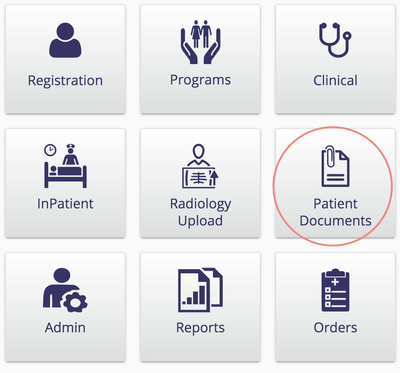
1. Go to Patient Documents
Click on Patient Documents on the Bahmni Home Page
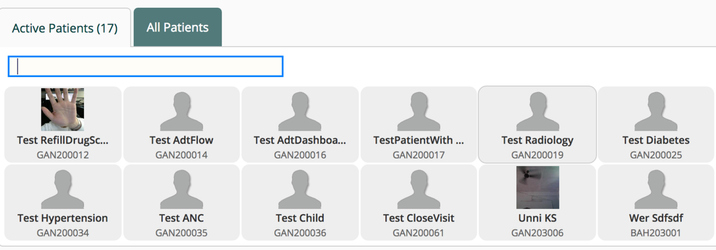
2. Select a Patient
Select or Search for a Patient.
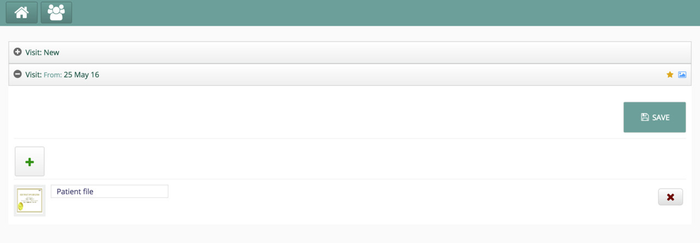
3. Upload one or more documents
- Upload one or more documents by clicking the "+" sign
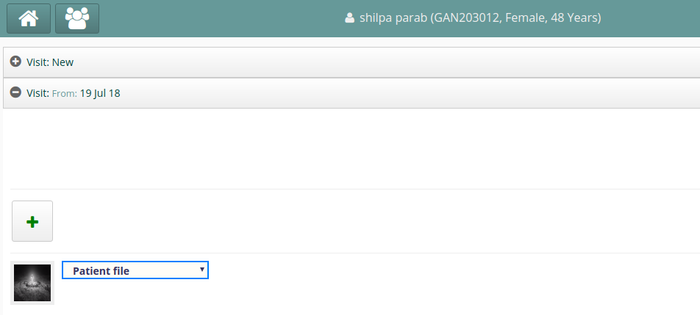
- Select a value to identify the document
- For versions 0.90 or earlier, you have to specify a valid type. e.g. "Patient file"
- From version 0.91 onwards, the text box has been replaced with a dropdown. This dropdown contains members of concept "Patient Documents". Add the appropriate member concepts as per your implementation needs.
- Regarding configuration of Patient Document types, see here
- Click Save
4. View uploaded documents
To see uploaded documents against a patient, one can go to Clinical → Dashboard → Visit Control → Visit Dashboard → Patient Files.
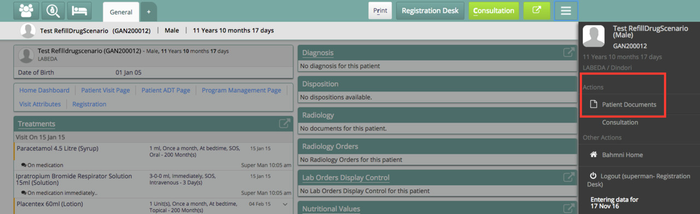
Or you can easily see it on the Sidebar in the Clinical app (when you click on the top right burger icon)
| Tip | ||||
|---|---|---|---|---|
| ||||
|
| Panel | ||||||
|---|---|---|---|---|---|---|
| ||||||
| Panel | ||||||
|---|---|---|---|---|---|---|
| ||||||